How to turn your selfie into WhatsApp stickers
A simple step-by-step guide to making cartoon stickers of yourself for WhatsApp, with before and after examples.
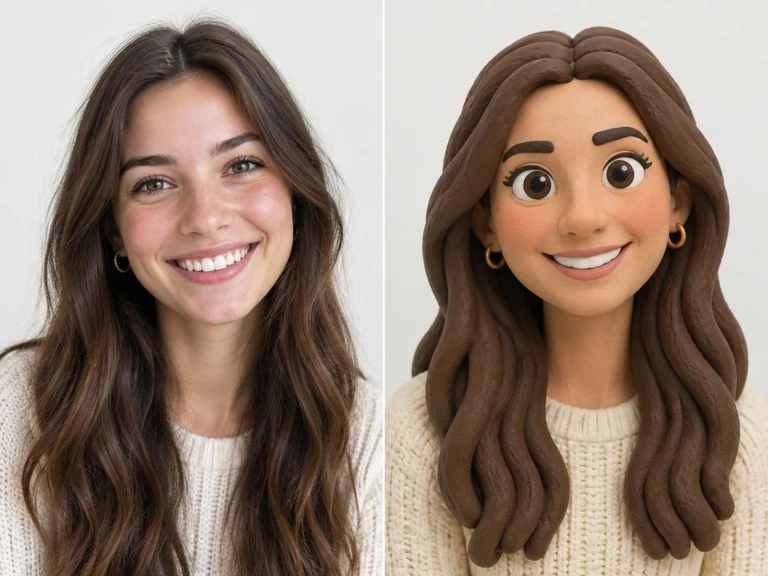
What you need
One clear photo of your face, taken in good light, looking at the camera. No special app is needed — CreateMyAvatars works in your phone's browser.
Step 1: Add your photo
Open createmyavatars.com, tap “Me” and upload your selfie. You can also choose “Pet”, “Us” for a couple, or a group such as family, friends, work or school.
Step 2: Pick a look
Choose an art style such as 3D Clay, Comic, Watercolor, Plush or Social Pals. Each look shows a before-and-after example so you know what to expect.
Step 3: Choose a reaction
Type what you want your sticker to do (for example “thumbs up” or “laughing”), browse 100 ready-made reactions, or tap “Surprise me”.
Step 4: Save and send
Save the sticker as an image with a transparent background for WhatsApp, or solid white for Facebook. On iPhone, long-press the saved image in Photos and choose “Add Sticker”. On Android, add it to WhatsApp through a sticker keyboard app or send it as an image.